3 great photo editing tools you can use for free
Shawn Dixon • March 31, 2020
Edit your photos and optimize them for your website
A very common task when adding content to your website is preparing the images. Images not only need to be cropped to fit a specific layout, but all images should be optimized for speed. Optimizing images can be a complicated task. It requires a balance between file size and file quality. This can be easily accomplished through professional photo editing software, but it can be extremely expensive and not worth the investment if you only have basic photo editing needs.
Here are some common basic needs with tools we found online that will get the job done with ease.
1. Cropping Photos
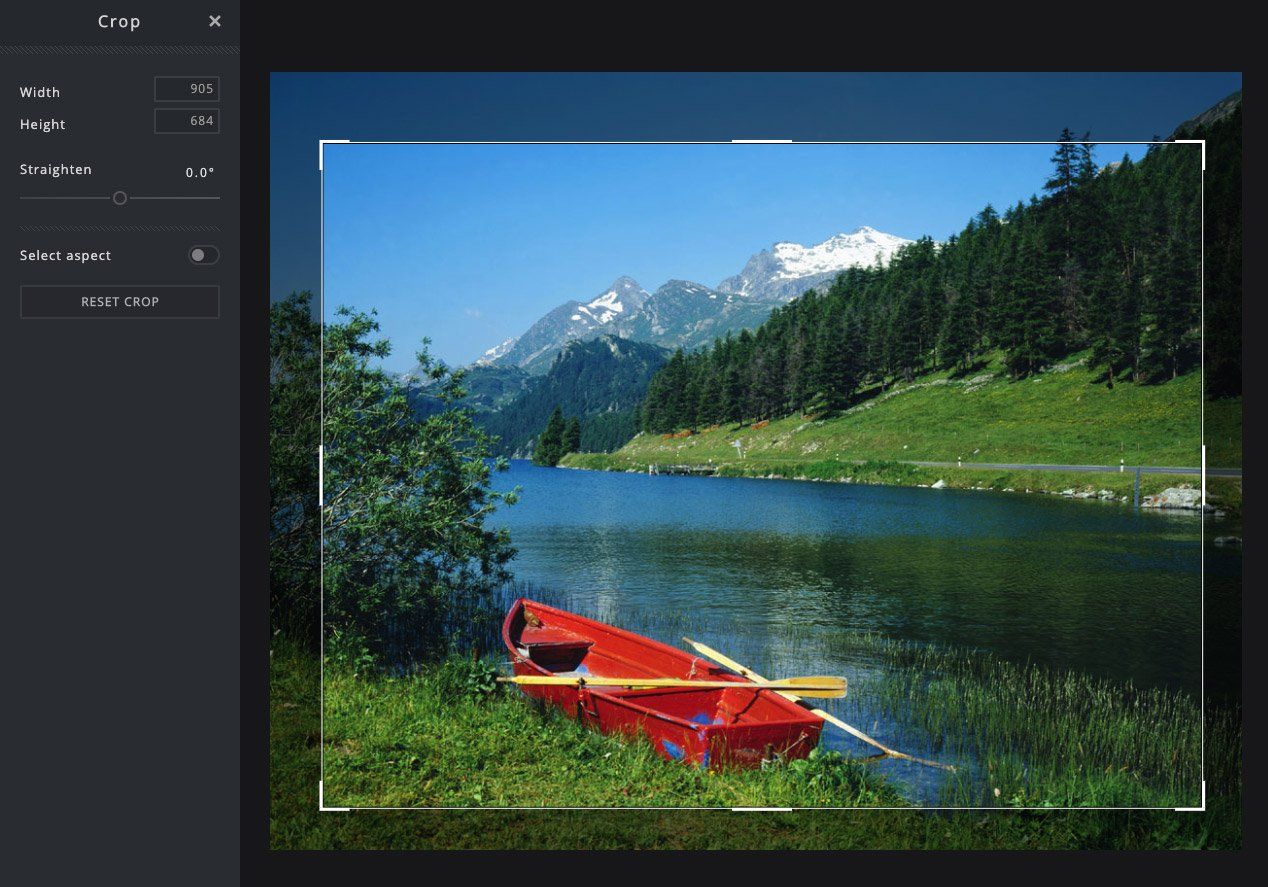
Cropping photos is probably the most common task. With mobile device camera quality, there is no shortage of pictures. It is easy to snap a picture of your business, staff or products and publish it to the web. The challenge is, sometimes the image layout doesn't fit with the page design, or you need to focus on a specific part of your image so you need to crop the image. A great resource online for this task is https://pixlr.com/
PIXLR has a very user-friendly website that gives the basic imaging editing capabilities as well as some pretty advanced stuff if you need more.
2. Optimize Images for Speed
You may have heard your web designer mention website optimization. Website optimization is essential to online success. It includes onsite(internal) and offsite(external) changes that make your website search engine friendly. And one major factor is speed. Having a fast loading website is very important. Many studies show that if your website doesn't load within the first three seconds, the visitor will move on. They assume the site is broken or it is a bad link. There are multiple factors that contribute to the speed of a website and file size is at the top of the list. You will always want your images to be as small as possible without losing any quality. And a great tool we use often is SHORTPIXEL. You can upload multiple images or one image at a time and it will optimize your images(even your PDFs) for your website. Here is a link to their image compressor. https://shortpixel.com/online-image-compression
3. Remove Backgrounds
And last but not least, we often get asked about removing backgrounds in photos. If you are looking to remove a background from a photo that will be printed, you will need to hire a professional image editor. Feel free to give us a call! However, if you want the image for the web, or just want to have some fun on social media, this tool is the best. Removebg could not be easier. Simply select an image you want the background removed from and Removebg will detect what is in the foreground and take care of the rest. Check it out here https://www.remove.bg/
Media Contact
Company Name: Clover Creative Group LLC
Contact Person: Shawn Dixon
Email: Send Email
Phone: 603-677-7032
Address: 234 Camp Rd.
City: Plainfield
State: New Hampshire
Country: United States
Website: clovercreativegroup.com
Did you find this article helpful? Please consider sharing.
In the lifecycle of a growing business, there is a specific, often uncomfortable moment that occurs roughly every 36 to 48 months. You look at your company’s digital presence—which was state-of-the-art when it launched—and realize it no longer reflects the reality of your organization. The navigation feels slightly clunky compared to competitors. The backend is difficult for your marketing team to update. The messaging speaks to a customer segment you graduated from two years ago. This phenomenon is often dismissed as aesthetic boredom, but experienced leaders recognize it as a critical operational signal. In the industry, we call this the "3-Year Itch," but it is rarely just about how the site looks. It is a structural warning sign. Deciding when to redesign a website is not a matter of following design trends or vanity metrics. It is a strategic calculation regarding scalability. At a certain point, a website built for a startup or a mid-sized company in an earlier stage becomes a liability that actively caps your growth. This article explores the strategic triggers that indicate your digital infrastructure has shifted from an asset into a bottleneck, and why addressing technical debt is essential for long-term scalability.
You have likely spent significant resources developing your business’s visual identity. You commissioned a logo, chose a color palette, and launched a website. At that moment, your brand looked polished, cohesive, and professional. Fast forward twelve months. You look at a flyer produced by a junior staff member, and the logo is slightly stretched. You visit your social media channels, and the tone of voice sounds nothing like the professional copy on your website. You hire a local vendor to wrap a company vehicle, and the shade of blue they used is three shades lighter than your business cards. This fragmentation is not just an aesthetic annoyance; it is a financial leak. Every time your brand appears inconsistent, you dilute the market recognition you paid to build. The solution to this entropy is not "better design" or "more meetings." It is a foundational governance document known as a Brand Style Guide. Understanding brand style guide importance is the difference between owning a logo and owning a scalable, valuable brand asset. This article outlines why this document is a non-negotiable tool for growing businesses and how to use it to protect your equity.

Discover how AI is transforming search and SEO — and learn simple steps your business can take to stay visible and trusted in the AI era.

Stop guessing about website costs. Learn the key factors that determine your website budget and discover what your site really needs to accomplish for your business in 2025.

Master local SEO with our comprehensive guide. Learn proven strategies to boost local search rankings, optimize Google Business Profile, build citations, and attract more local customers in 2025.
Confused about logo file types? This guide breaks down the essentials, helping you select the perfect format to enhance your brand's image and consistency.